Divide the picture into 3 parts or 9 parts to form the Jiugongge background of the circle of friends
In the WeChat circle of friends, it is often seen that a picture is divided into 3 or 9 equally to form a nine-square-style picture background wall. How is this achieved?
Method 1. Use the drawing tool in the computer
Here take win10 as an example, first find the drawing software in the start menu.
Then open Paint, drag the image that needs to be divided into nine parts into Paint.
Select the "Shape" tool at the bottom of the home panel, and select the line in the extension panel. Set the thickness to thinnest.
Then on the picture, roughly draw 3x3 horizontal and vertical lines with straight lines.
Example of splitting pictures with drawing tools
Then select the "Rectangle Selection" tool above, draw the first grid selection according to the wireframe, then crop, select the File menu - Save As to save the first image as "1.jpg".
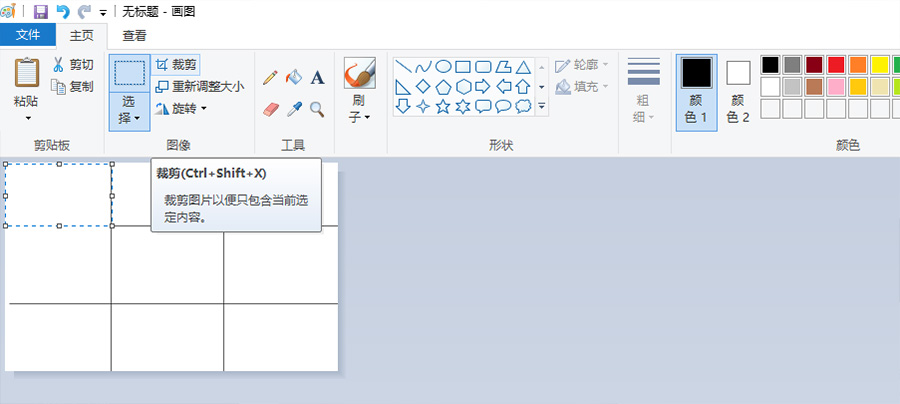
Then press "ctrl+z" to undo the cropping operation, draw the second, the third...the ninth selection area is cropped in turn, and a picture can be divided into nine parts.
Method 2. Use photoshop software
Open the ps software, then drag the picture that needs to be cut evenly to the ps canvas, ctrl+R, open the ruler of ps
Click on the ruler and drag to the picture area to pull out the auxiliary line.
Calculate the pixels evenly distributed in the ruler, and drag out 3X3 auxiliary lines to draw a nine-square grid.
Then select "Slice" on the left toolbar.
Draw nine rectangular box selections on the picture according to the guide lines.
PS software segmentation picture example
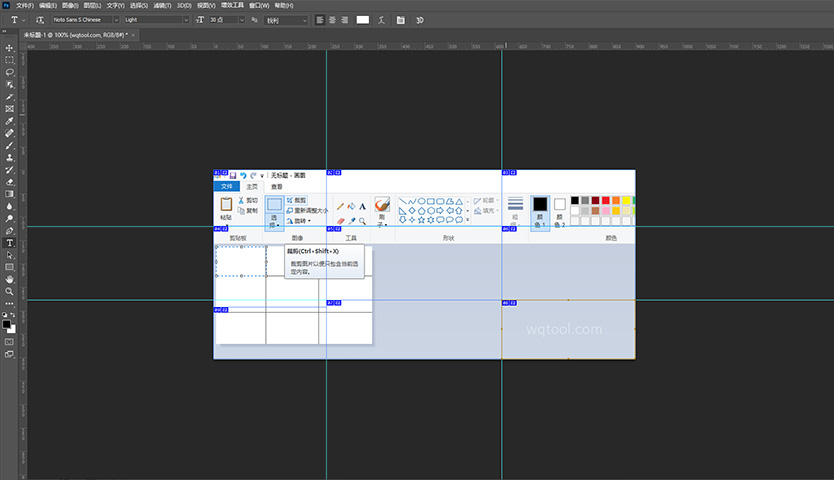
Then select the file, save it as a format for web, and export all the pictures.
Method 3. Use the Average cut for pictures tool on this site
First select a picture that needs to be split, then set the number of rows to 3 rows and the number of columns to 3 columns
Finally, set the output image format of the average division, and the program will automatically divide the image into nine small images.
The above are three quick and easy ways to divide an image equally.